The base module provides the standard features for data maintenance and administration, including the export in standard data formats.
Pick from the optional modules to scale up to a 100% solution to serve all of your customers’ needs from a single source.
Standard features
included in the base licence · 11 items
01
Standard
Single-record maintenance
graphical user interface
Create and maintain data records of individual tool components in the 3S UI, with revision history logged for every change.
02
Standard
Bulk maintenance via Excel
Data Input Table · StOB
Whole product ranges may be imported and edited in a single file. A pre-defined input table structured according to StOB (Standard OpenBase) helps to achieve this.
03
Standard
Data check and validation
StOB rules · DIN / ISO
Data records are validated using a pre-defined rule system. Erroneous data records are labeled based on their error category.
04
Standard
Rule Editor
customized data verification rules
A standard rule-set is provided. However, you may amend or create your own rule-set according to your needs for data quality.
05
Standard
Master classification
DIN 4000 · ISO 13399 · conformity classes
A classification scheme is provided to define tool categories and the properties according to standard.
06
Standard
Class and property editor
structure extension
Extend and adapt the data structure wherever the default does not reach far enough for your product range, for example for custom or special tool solutions.
07
Standard
Change history
revision tracking
Changes are logged as they happen. Any change can be traced back to who entered it and when. You may also restore previous record versions.
08
Standard
User and rights management
named users · access rules
Define named users, roles and access credentials. Restrictions apply according to your plan.
09
Standard
Tool carts
data packets · tool libraries
Bulk data record collection to build tool libraries or drive batch operation such as graphics generation.
10
Standard
Customer administration
customers · releases
Administer your customers and track the actual data release and data shipment per customer.
11
Standard
Standard export
Excel · DIN 4000-102 · ISO P21
Includes DIN and ISO standard exports. No module, no surcharge.
Autodesk FUSION, GibbsCAM, Mastercam, SolidCAM, OPUS CAM, EXAPT, Technologymanager (NX CAM), tebis, TopSolid, VERICUT, hyperMILL, WorkNC are all served from a single source.
14
Option
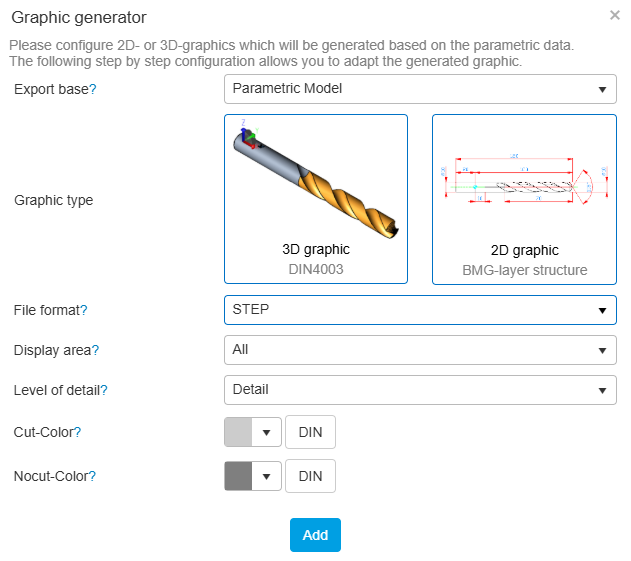
Graphics Generator
2D ISO 13399-70 · 3D DIN 4003
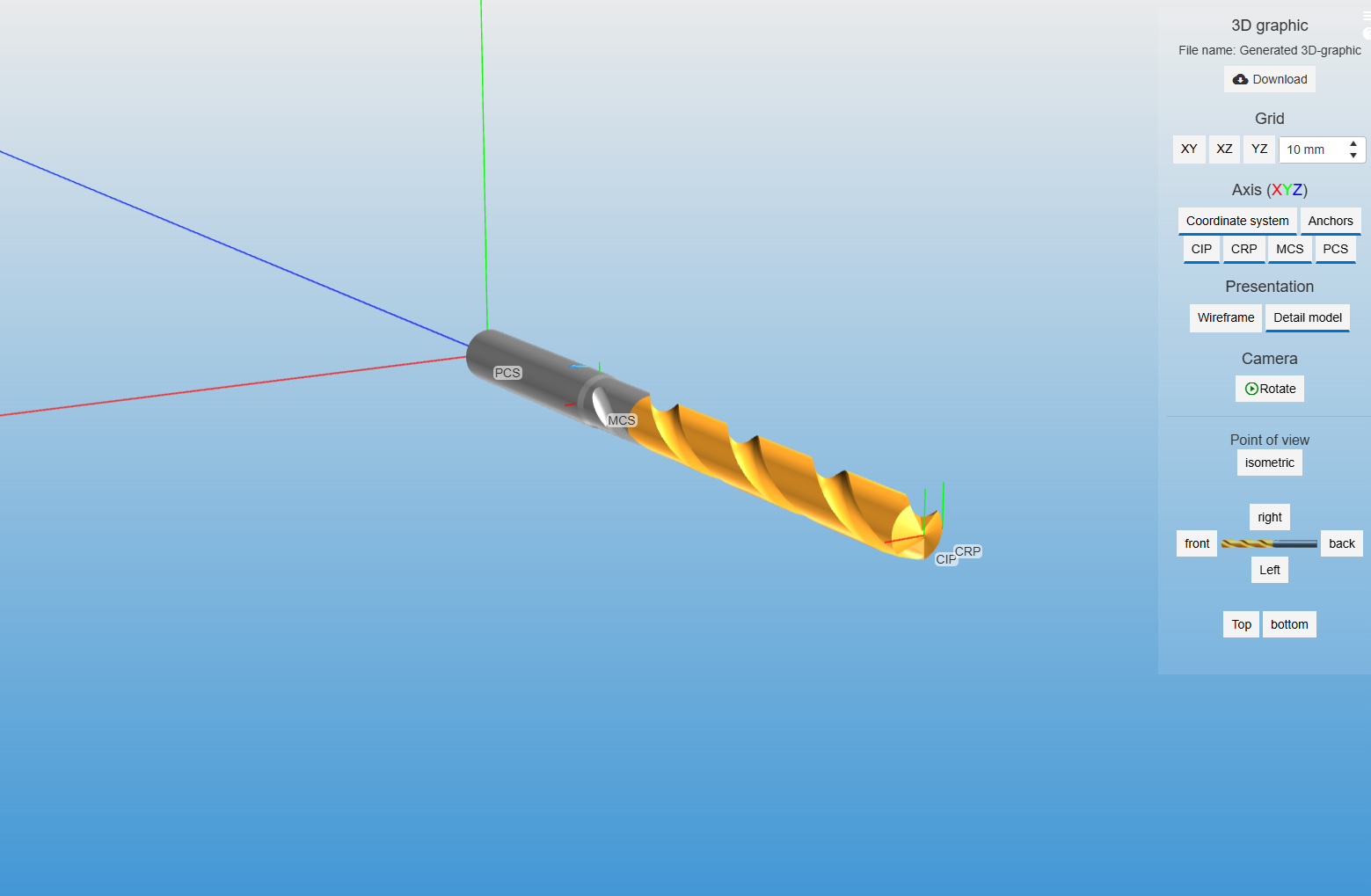
Web services generate drawings and models from the properties you already maintain: STEP (AP214) or STL for 3D, DXF for 2D, one by one or as a batch.
15
Option
ToolAssembler
complete tools
Builds 3D models of tool assemblies from the components held in 3S or generated by the Graphics Generator. Exports as STEP, DXF and CAM formats.
16
Option
CS-Print
catalogues · sales collateral
Print output straight from the database. A linotype engine builds the InDesign templates; the UI administers catalogues and the sequence of chapters.
17
Option
Web Integration
MyToolsUnited · API
3S is provided “headless”. With Web Integration, you may connect your web UI (or any UI) to the server. An API is provided to access class-tree search, ISO property filters, the 3D generator and all other 3S features.
18
Option
Webshop
transaction engine
A shop that follows the product structure of 3S: category control, property filter and cart. Prices, stock and user administration come from the ERP.
19
Option
CS-Box
legacy systems · ERP / PLM / PIM
The layer between 3S and your legacy IT. Use existing or have new interfaces developed to connect to inventory management, ERP, tool management and PLM/PIM systems.
20
Option
WebAnalyzer
cross-domain analytics
Business intelligence (BI) application to analyze access patterns and download statistics. Both on 3S and ToolsUnited.
3S is Software as a Service. On request it is delivered and installed on premise, using the same online web services for 3D generation unless agreed otherwise.
What makes 3S special?
Five things no general data system does.
These are not modules you switch on. They are the reason the rest of the list works.
Classification and standardization during ingestion
Records are classified as they come in, not cleaned up afterwards. Nothing enters the shelf without a class, a conformity level and a structure the target systems recognise.
Focus on metal cutting
Focussed on the industry since 1987. The 3S knows what a shank is, what a corner radius does, can tell a center cut from non-center cut and does not accept property combinations that contradict the laws of geometry.
A predefined, harmonizing data model
No need to design a database schema before you start. StOB is already there, and it is the same one your customers’ systems and the industryleaders‘ data speak.
A distribution reach nothing else matches
Standards, portals, webshops, your own site and the native format of 25 CAM and toolmanagement systems. Selection is a setting, not a project.
3D generation from geometric properties
The model is derived from the parameters you already maintain. Change a dimension and the graphic follows — no CAD department in the loop.
Classification · class assignment and conformity classes
Frequently asked questions
In preparation. Until it is written, ask us directly.